
Computer Equipment, Computer Networking Equipment
Computer Networking Equipment Setup Guide

Apr
Table of Contents
Getting your hands dirty with computer networking equipment is about more than just plugging in cables and hoping for a green light. It is the backbone of your entire operation. If the hardware is weak or the configuration is sloppy, your business doesn’t just slow down—it grinds to a halt. Whether you are scaling up a Research Triangle Park startup or overhauling a legacy office in Raleigh, the goal remains the same: speed, security, and zero downtime.
Key Takeaways
- Hardware Hierarchy: Every device, from the edge router to the core switch, has a specific job that dictates your network’s ceiling.
- Security at the Source: Proper equipment selection prevents data leaks before your firewall even breaks a sweat.
- Vendor Integrity: Sticking with heavy hitters like Cisco, HPE, and Aruba isn’t just about the name; it’s about firmware support and long-term reliability.
- Scalability: A network built for today that can’t handle tomorrow is just a future invoice waiting to happen.
What is Computer Networking Equipment?
At its core, computer networking equipment consists of the physical hardware—routers, switches, access points, and gateways—that allows digital devices to communicate. These tools act as the traffic marshals of your data highway, ensuring that a print job doesn’t clog up a VoIP call and that sensitive server data stays behind the right “locked doors.”
The reality on the ground is that your network is only as strong as its weakest link. If you’re running a high-speed fiber line into a bargain-bin router, you’re essentially trying to fire a firehose through a straw. Since 2011, Link US Online has helped businesses in the Research Triangle Park area avoid these bottlenecks by matching the right hardware to the specific demands of the local North Carolina business climate.
What are the Core Types of Network Devices?
Connectivity Essentials
- Hubs (The Legacy Link): These are the “dumb” connectors of the past. They broadcast data to every port, creating massive congestion. If you find one in your rack, pull it out.
- Switches (The Intelligent Hub): Unlike hubs, switches use MAC addresses to send data only to the intended recipient. This cuts the “noise” and keeps your internal traffic moving at peak velocity.
- Routers (The Gateway): The router is your network’s brain. It manages IP addresses and acts as the interface between your private office world and the public internet.
Performance & Range
- Bridges: Use these to connect two different network segments into one cohesive unit. It’s the best way to manage traffic in a growing facility without a total rewire.
- Repeaters: When your North Carolina warehouse is too long for a standard Cat6 run, repeaters regenerate the signal to prevent data loss over distance.
- Gateways: These are the translators. They allow different network protocols to talk to one another, which is vital when integrating legacy systems with modern cloud hardware.
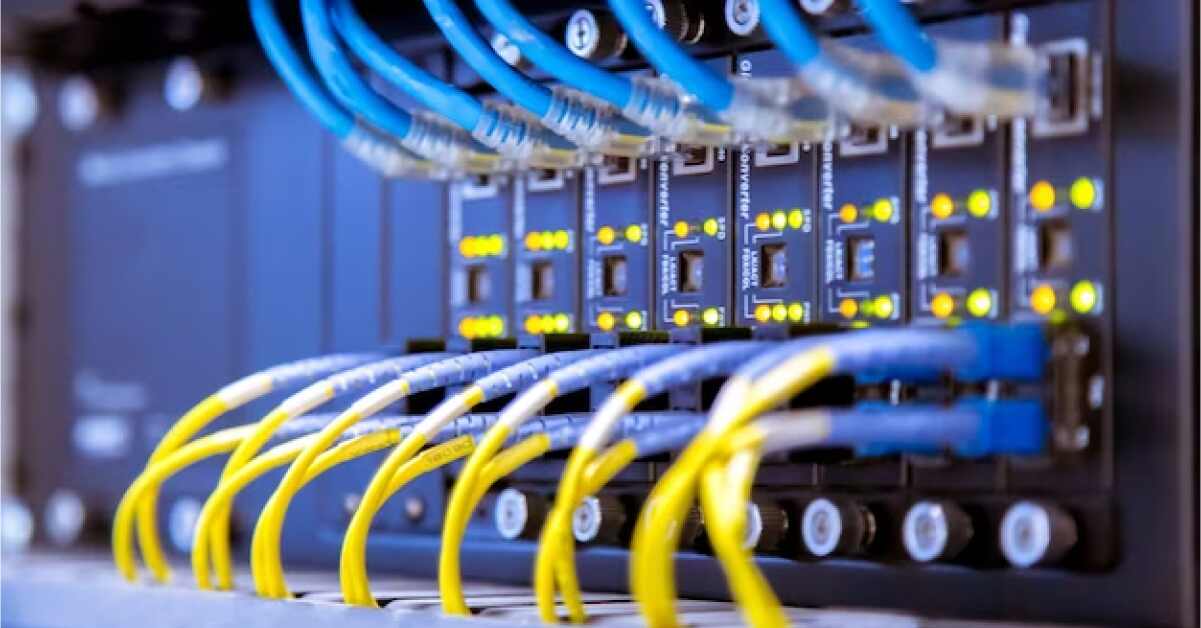
How Do You Set Up Computer Networking Equipment Properly?
Setting up computer networking equipment requires a “measure twice, cut once” mentality. You can’t just wing it and expect 99.9% uptime. Here is the framework we use to ensure the “grit” of the install matches the needs of the business.
At-a-Glance: Hardware Comparison
| Feature | Hub | Switch | Router |
| Intelligence | Low (Broadcasts all) | Medium (MAC Learning) | High (IP Routing) |
| Layer | Physical (Layer 1) | Data Link (Layer 2) | Network (Layer 3) |
| Primary Use | Obsolete/Simple linking | Internal office traffic | Internet & Security |
| Security | None | Basic (VLANs) | Advanced (Firewalls) |
Which Industry Terms Matter Most for Grounding?
- MAC Address: The unique hardware identifier assigned to a Network Interface Controller (NIC) for communications at the data link layer.
- VLAN (Virtual Local Area Network): A partitioned network that is logically segregated by function or department rather than physical location.
- Latency: The delay before a transfer of data begins following an instruction for its transfer; the “lag” that kills productivity.
- Throughput: The actual amount of data passing through a system in a given period, often much lower than the theoretical “link speed.”
Putting Your Networking Strategy into Motion
A well-configured computer networking equipment setup isn’t a luxury—it’s an insurance policy against downtime. Every router choice and switch configuration either builds a bridge to higher productivity or creates a wall that blocks your team.
At Link US Online, we don’t just sell boxes; we provide the hardware foundation that keeps Research Triangle Park moving. We focus on getting you the right gear at a price point that makes sense for your bottom line.
Call (919) 825-0900 to source your next hardware upgrade today.

Frequently Asked Questions
What is computer networking equipment?
It is the collective term for hardware like routers, switches, access points, and modems that facilitate data transfer and communication between devices on a network.
What is the most important network device?
The router is typically considered the most vital component because it manages traffic between your local network and the internet while providing essential security layers.
Can I set up my own business network?
While possible for very small offices, business-grade networks require advanced configuration of VLANs and firewalls that usually necessitate professional expertise to ensure security and stability.
How often should network equipment be updated?
Most enterprise hardware has a lifecycle of 3 to 5 years. Beyond this, hardware failure rates increase and the gear often lacks the processing power for modern security protocols.
What brands are best for networking equipment?
Industry leaders include Cisco, Aruba (HPE), and Ubiquiti. These brands are favored for their robust support, extensive feature sets, and proven reliability in high-traffic environments.
