
Aruba Instant On, Aruba Networks
Are Aruba WiFi Access Points Worth the Investment?

May
Table of Contents
Look, if your business is running on a prayer and a “good enough” WiFi signal, you’re essentially leaving money on the table. Whether you’re managing a chaotic retail floor, a sprawling 50,000-square-foot warehouse, or a packed office suite in Research Triangle Park, dropped packets don’t just annoy people—they kill productivity. That’s exactly why industry veterans who’ve been in the trenches since the early days of networking consistently turn to Aruba WiFi access points. These aren’t those flimsy, plastic home-office routers you find at a big-box store; we’re talking about high-performance, enterprise-grade nodes engineered to handle the brutal, high-density demands of a modern commercial environment without flinching.
Key Takeaways
- Enterprise Reliability: Built for 24/7 uptime in high-stakes environments like hospitals and schools.
- Security-First Architecture: Features WPA3 encryption and automated threat detection to keep your data locked.
- Seamless Scalability: Simply plug in more Aruba WiFi access points as your floor plan grows.
- Smarter Management: Use AI-powered tools to fix bottlenecks before your employees even notice a lag.
- Cost-Effective Sourcing: Refurbished hardware from Link US Online delivers flagship performance for a fraction of retail.
What Exactly Are Aruba WiFi Access Points?
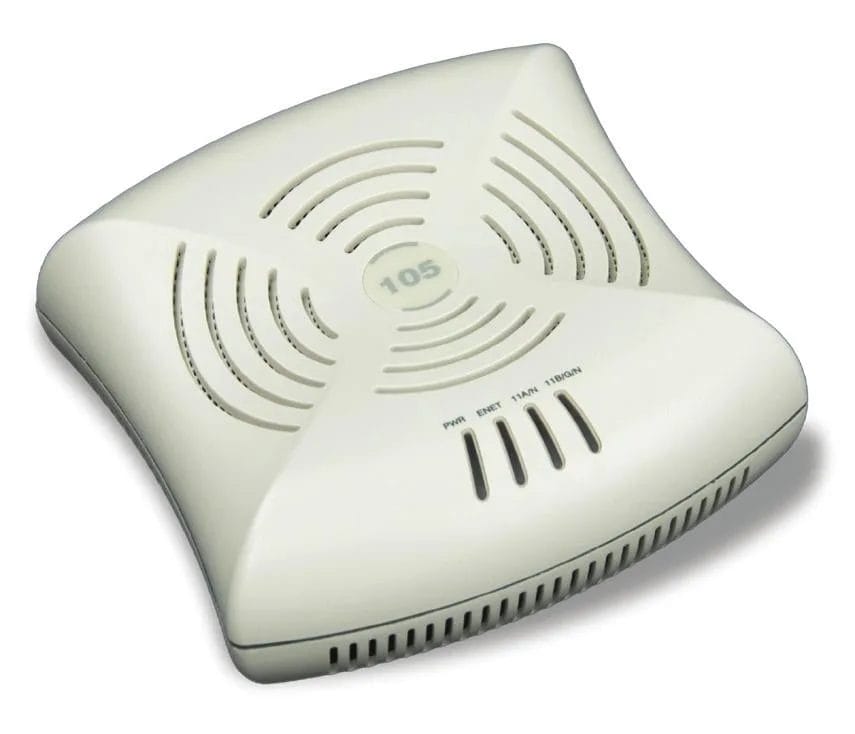
Aruba WiFi access points are professional-grade networking nodes designed by Hewlett Packard Enterprise (HPE) to provide high-speed, secure wireless connectivity across large-scale commercial environments. Unlike basic consumer hardware, these units utilize advanced beamforming and radio management to support hundreds of concurrent devices while maintaining stable throughput for mission-critical applications.
Why Do Businesses Choose Aruba Over The Competition?
The reality on the ground? Most “budget” networking gear chokes the second you have thirty people jump on a simultaneous Zoom call. It’s ugly. Pros choose Aruba because the internal hardware is built for the “high-density crush” where consumer-grade chips simply hit a wall and fail.
Are Enterprise Access Points Better Than Consumer Routers?
In a professional setting, there is no contest. None. A consumer router is a “jack of all trades, master of none” device meant for a three-bedroom house in the suburbs. In contrast, Aruba WiFi access points are specialized tools meant for high-stakes environments where downtime costs you thousands of dollars per hour.
| Feature | Consumer-Grade Router | Aruba Access Points |
| Device Load | Struggles at 20+ devices | Handles 100+ per radio easily |
| Security Mesh | Basic WPA2/WPA3 | Role-based policy enforcement |
| Growth Path | Buy a whole new router | Add another node to the mesh |
| Remote Support | Manual reboots required | Full cloud-based telemetry |
| Build Quality | Plastic housing | Industrial-grade heat dissipation |
Is Aruba Worth The Upfront Cost?
Let’s be blunt: Aruba isn’t the cheapest sticker price on the shelf. Not by a long shot. However, you have to weigh that against the cost of an entire warehouse team standing around with their hands in their pockets because the WiFi went down.
Refurbished Aruba WiFi access points represent the ultimate “value play” for the mid-market. By sourcing certified refurbished units from a specialist like Link US Online, you get the 10-layer PCB quality and the enterprise software stack without the “brand-new” markup. Based in Research Triangle Park, NC, we’ve seen every type of network failure imaginable since 2011. The businesses that stay up are the ones that don’t cut corners on their backbone.
What Are The Potential Downsides To Consider?
Before you pull the trigger, you need to know the trade-offs. It’s not all sunshine and rainbows.
- Management Learning Curve: If you’ve only ever used a home Linksys, the Aruba dashboard can feel like a Boeing cockpit. It’s powerful, but it requires a bit of “shop talk” knowledge to master.
- Licensing Requirements: Some advanced cloud features require an annual subscription.
- Power Requirements: These are high-performance units. You’ll need a proper PoE (Power over Ethernet) switch or a beefy power injector to run them at full capacity.
Putting Your Aruba Strategy Into Motion
If your current network is lagging or you’re moving into a new facility, the hardware you choose today will dictate your productivity for the next five years. Transitioning to Aruba WiFi access points is about more than just “better internet”—it’s about building a foundation that won’t crumble when your business starts to scale.
Whether you need a single high-capacity node or a campus-wide mesh, the move to enterprise-grade gear is the single best favor you can do for your IT department. Stop fighting with consumer bottlenecks. Start running on the same hardware that powers the Fortune 500.
Call Link US Online at (919) 825-0900 to secure your Aruba WiFi access points at a fraction of the cost of new inventory today.

Frequently Asked Questions
Q: What are Aruba WiFi access points used for?
A: They are used to provide high-density, secure, and manageable wireless internet in professional environments like offices, hospitals, and industrial warehouses.
Q: Are Aruba access points a good fit for small businesses?
A: Absolutely. While they offer enterprise features, their reliability and scalability make them a “buy it once, buy it right” solution for growing companies.
Q: How long do these access points typically last?
A: In a standard climate-controlled office, Aruba hardware is built to last 5 to 7 years, significantly outperforming consumer-grade alternatives.
Q: Do these units support the latest WiFi 6 standards?
A: Yes, the newer Aruba series (like the 500 and 600 series) fully support WiFi 6 and 6E for maximum throughput and device handling.
Q: Can I manage my network if I’m not on-site?
A: Yes. Using the Aruba Central cloud platform, IT admins can monitor health, change passwords, and troubleshoot devices from anywhere in the world.
