
Routers
Cisco Meraki MX Firewalls: Models, Sizing and Replacements
Oct
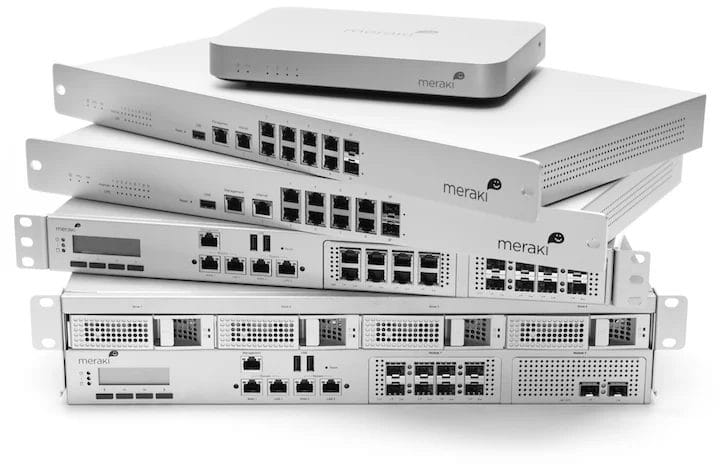
The Cisco Meraki MX is Meraki’s firewall: one box at each site that handles routing, firewall rules, site-to-site VPN and SD-WAN, managed from the Meraki dashboard. Content filtering, intrusion prevention and malware protection come with the Advanced Security license tier.
If you’re buying: the MX67 and MX68 cover small branches, the MX75 and MX85 busier ones, and the MX95 and MX105 larger offices. Size by the throughput with security inspection turned on, not the firewall headline figure, and replace anything older than the MX67 generation first.
Meraki MX models compared
| Site | Firewall throughput | With Advanced Security | |
|---|---|---|---|
| MX67 / MX68 | Small branch | 700 Mbps | 300 Mbps |
| MX75 | Busy branch | 1 Gbps | 500 Mbps |
| MX85 | Busy branch, rack-mounted | 1 Gbps | 500 Mbps |
| MX95 | Large branch or office | 3 Gbps | 1.5 Gbps |
| MX105 | Large office or small campus | 5 Gbps | 2 Gbps |
Figures are Cisco’s published enterprise-mix (EMIX) results from the MX sizing guide. Real traffic varies, but the ratio holds: turning on full threat inspection roughly halves what the box can pass.
What does the MX do at a branch?
It’s the branch’s router and firewall in one. It runs the firewall rules between networks and the internet, hands out addresses, and connects sites with Auto VPN: tick a box in the dashboard and every MX in the organization builds encrypted tunnels to the others, with no manual tunnel configuration. SD-WAN policies send each type of traffic over the best of two internet links.
The reason businesses pick the MX is the same reason they pick Meraki at all: forty branches look and behave like one network in one dashboard. Our Meraki cloud management guide explains what runs locally and what depends on the cloud.
Adding a Meraki firewall to a branch?
Since 2011 · 90-day warranty · Free US shipping · POs & net terms
MX67, MX68 or MX85?
The MX67 and MX68 have identical throughput. The MX68 adds more LAN ports, two of them PoE, so it can power an access point or phone directly. Buy the MX68 when that saves you a small switch.
The MX85 is a 1U rack-mount unit with more ports and SFP uplinks, but its security throughput is the same as the desktop MX75. A higher model number isn’t a faster firewall here: buy the MX85 for the form factor and ports, the MX95 for speed.
For a site with a fast internet circuit and Advanced Security on, size from the right-hand column. A 1 Gbps fiber circuit with full inspection needs an MX95, not an MX75.
Which older MX models need replacing?
| End of sale | End of support | Replace with | |
|---|---|---|---|
| MX65 / MX65W | May 28, 2019 | May 28, 2026 (passed) | MX68 |
| MX84 | October 31, 2021 | October 31, 2026 | MX85 or MX95, by load |
| MX100 | February 1, 2022 | February 1, 2027 | MX95 |
| MX64 / MX64W | July 26, 2022 | July 26, 2027 | MX67 |
An MX65 is already out of support, and the MX84 follows this month. An MX100 or MX64 has until 2027, so plan the swap now rather than buying more of them. Check port counts against the old unit before you order: the replacements aren’t identical layouts.
Which license tier do you need?
- Enterprise. Firewall, VPN, SD-WAN and the dashboard.
- Advanced Security. Adds content filtering, intrusion prevention and malware protection.
- Secure SD-WAN Plus. Adds deeper application visibility and WAN optimization on top of Advanced Security.
Every MX needs one, so compare the hardware and license together when you price two models.
Get a quote
Send us the MX models you need, or the ones you’re replacing and how many sites, and we’ll quote it the same business day.
Replacing an MX64, MX84 or MX100?
Since 2011 · 90-day warranty · Free US shipping · POs & net terms
