
Aruba Instant On, Aruba Networks
What Is an Aruba Wireless Access Point?
Jan
Table of Contents
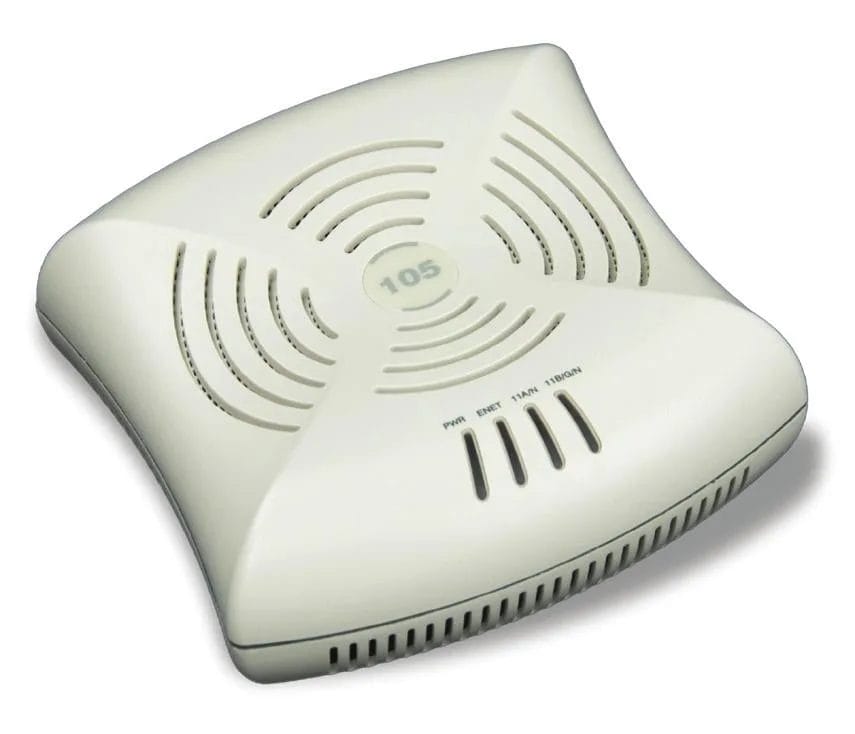
In today’s world, if the Wi-Fi goes down, the work stops. Whether you’re rigging up a small shop, a massive warehouse, or a sprawling commercial campus, you need gear that doesn’t quit. The big question we hear on the ground is: what exactly is an Aruba wireless access point, and how does it keep your crew connected without the constant headaches? This guide is a straight-talk breakdown of how these units function, why they’re built for the long haul, and how to pick the right one for your specific environment. If you’re ready to stop messing with consumer-grade junk and want to source a real Aruba wireless access point, Link US Online has the inventory you need.
Key Takeaways
- Bridge the gap between your wired router and your wireless devices by broadcasting a rugged, high-speed signal.
- Support the newest Wi-Fi 6 and 6E standards to make sure your speeds stay fast, even when the job site gets crowded.
- Lock down your signal with heavy-duty security features that keep hackers and neighbors off your bandwidth.
- Scale your setup from a single office to a massive multi-building operation without having to start over.
- Select the right hardware based on how many guys are on the floor and how much concrete or steel is in the way.
Aruba Access Points: The Pro’s Toolkit
Before you start bolting an Aruba wireless access point to the rafters, you need to know what these things can actually do when the pressure is on.
No-Nonsense Management
One of the best parts about Aruba gear is that you don’t need a PhD to keep it running. Tools like Aruba Central give you a “command center” view of your whole network. From one dashboard, your IT lead can:
- Track every device that’s logged on in real-time.
- Tweak network settings on the fly without driving to the site.
- Fix connection drops from a laptop or phone.
- Push updates to every unit at once so you’re always current. This means less time messing with wires and more time getting the actual job done.
Hardened Security
You wouldn’t leave your toolbox unlocked on a job site, and you shouldn’t leave your network open either. Aruba APs come standard with WPA3 and Enhanced Open, which is basically a digital deadbolt for your data. They also pack in features like:
- Spot “rogue” units that don’t belong on your network.
- Block intrusions before they can mess with your servers.
- Set rules for who can see what on the network.
- Filter out bad traffic with an integrated firewall. It’s about keeping your business data private without making it a pain for your employees to log in.
Built for Modern Speed
An Aruba wireless access point isn’t just a basic router; it’s built for Wi-Fi 6 (and the new 6E). If you’ve ever had the Wi-Fi crawl to a halt because too many people were on a video call, you’ll appreciate:
Save battery life on your crew’s tablets and scanners. In a high-intensity environment like Research Triangle Park, where the data is heavy and the deadlines are tight, this gear makes a massive difference.
- Push data faster than ever before.
- Handle crowded rooms where everyone is on their phone or tablet.
- Connect more devices at once without the “spinning wheel” of death.

How to Get Your Aruba APs Up and Running
Setting up an Aruba unit is straightforward if you follow the right steps. Here’s the “how-to” for getting your signal live.
Opening the Box
Before you climb the ladder, make sure you’ve got the full kit:
- Verify the access point unit is in one piece.
- Check for the power adapter (unless you’re running PoE).
- Grab the mounting plates and screws.
- Ensure you have a high-quality Ethernet cable ready to go.
Getting it Mounted
Location is everything. If you hide the AP in a metal cabinet, it’s going to perform like garbage. Instead:
- Bolt it to the ceiling for the best line of sight.
- Secure it high on a wall or a structural pillar.
- Clear any big obstructions like HVAC ducts or heavy machinery. The higher you go, the better the signal can “rain down” over the whole floor.
Powering the Beast
You’ve got two ways to juice these things up:
- Run Power over Ethernet (PoE) which sends power and data through the same cable—this is the pro way to do it.
- Plug it into a standard wall outlet with an adapter if you don’t have a PoE switch. PoE is usually the winner because it keeps your wiring clean and professional.
Hooking Up to the Net
Plug that Ethernet cable into your network switch or router. This is the “pipe” that brings the internet to the AP so it can start blasting Wi-Fi to the rest of the building.
The Bottom Line
Aruba wireless access points are the smart choice when you need Wi-Fi that just works. Whether you’re upgrading a local shop or wiring up a massive new facility, these units give you the speed and security to stay competitive. If you need help picking out the right Aruba wireless access point or other networking hardware, Link US Online has your back. We’ve been helping businesses across the country since 2011, right here from our home base in Research Triangle Park, NC.
Give us a call at (919) 825-0900 today and let’s get your network sorted.

Frequently Asked Questions
What’s the primary function of an Aruba wireless access point?
It connects your hardwired backhaul to your mobile crew and broadcasts a high-gain Wi-Fi signal so your team can keep working, rather than being tied up at the workbench.
Can it handle a heavy load of users simultaneously?
Absolutely. These are intended for dense environments. Because it is based on Wi-Fi 6, an Aruba wireless access point can handle dozens of active devices simultaneously without a hiccup or a dropped connection.
Will this hardware be obsolete by next season?
No. These units have been designed to last and support the current Wi-Fi 6 and 6E standards, so your network will continue to become more relevant and faster in the coming years.
Is the management side a headache?
Not at all. With cloud-based orchestration, you can monitor the entire site right from your phone. Once the initial config is dialed in, it’s a “set it and forget it” solution. For expert help sourcing an Aruba wireless access point, call Link US Online today.
